

Phase 3: How SQLite Behaves Under Real Hardware Pressure
Imagine a remote railway station during a sudden power failure.
A train is approaching the platform. One passenger has already boarded, another is waiting for ticket verification, and the station staff are preparing the next departure.
Then everything goes dark.
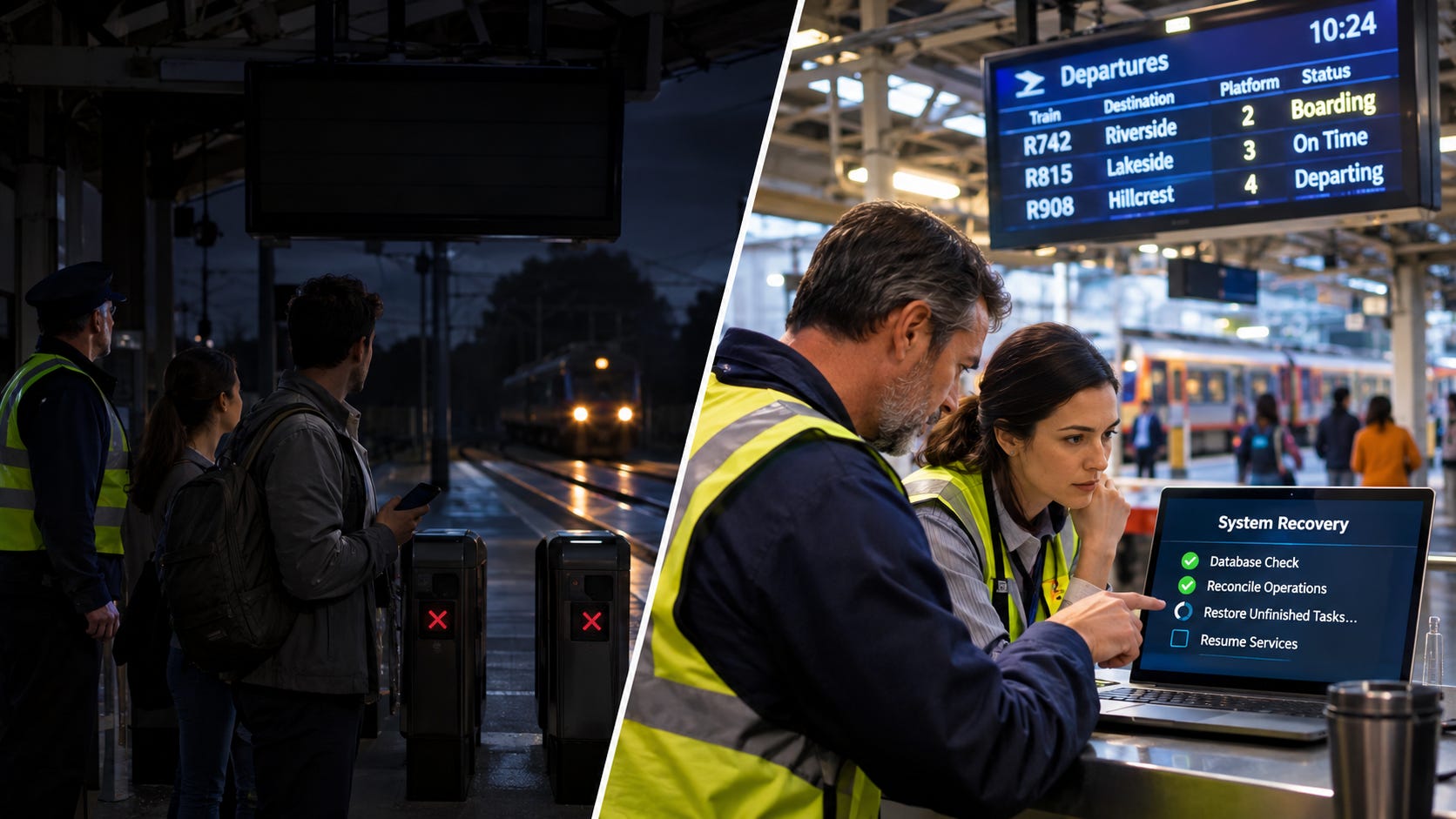
The ticket scanners stop working. The departure displays switch off. The station’s control systems lose power.
A few minutes later, electricity returns.
But the station cannot simply resume every activity from where it appeared to stop.
Was the first passenger’s ticket successfully recorded? Did the second passenger’s verification finish? Was the approaching train already assigned a platform? Did the departure notification reach the railway’s central system?
Some operations completed. Others were interrupted. A few may have succeeded even though their results were never recorded.
Before normal operations resume, the station must determine what actually happened.
SQLite applications face a remarkably similar challenge.
Consider an industrial monitoring system that collects sensor readings, stores them locally, processes alerts, and synchronizes data with a remote server.
The application may execute thousands of database operations successfully every hour.
But what happens when the device loses power halfway through a synchronization operation?
What if a background worker completes an external request but crashes before updating its SQLite record?
What if the database transaction commits successfully, but the application stops before updating its in-memory state?
A database that survives a crash is not necessarily an application that recovers correctly from one.
In our previous article, SQLite on Flash Storage, we explored how storage hardware, synchronization settings, and flash endurance influence SQLite’s reliability and performance.
Now we’ll examine what happens when the application itself must recover after an unexpected interruption.
We’ll build a restart-safe SQLite workflow using durable state, explicit transitions, idempotent operations, worker leases, and startup reconciliation.
Most importantly, we’ll design recovery around a simple principle:
After a restart, the application should determine what remains unfinished from durable evidence, rather than assuming what happened before the crash.
1. Database Recovery and Application Recovery Are Different
SQLite provides transaction mechanisms designed to protect database consistency.
As we explored in Mastering Transactions and Concurrency, SQLite transactions ensure that related database changes succeed or fail together. These atomicity guarantees provide the foundation for crash recovery, preventing partially completed database operations from leaving committed records in an inconsistent state.
When an application modifies several records inside one transaction, SQLite can commit those changes atomically.
For example:
BEGIN IMMEDIATE;

UPDATE Inventory
SET AvailableQuantity = AvailableQuantity - 1
WHERE ProductID = 501
  AND AvailableQuantity > 0;

INSERT INTO Orders (
    CustomerID,
    ProductID,
    Status
)
VALUES (
    1201,
    501,
    'created'
);

COMMIT;
A correctly implemented application must verify that the inventory update affected one row before inserting the order and committing.
If the transaction is interrupted before committing, SQLite’s recovery mechanisms prevent a partially applied transaction from becoming visible as a completed transaction.
If it commits successfully and is durable under the selected storage configuration, both changes survive.
But SQLite does not automatically know whether the application also:
Sent a payment request.
Published an event.
Uploaded a sensor reading.
Delivered an email.
Updated an external device.
Completed a background workflow.
Those activities may involve independent systems.
SQLite can protect the data it manages, but it cannot automatically reconstruct every external action.
This creates two distinct recovery responsibilities.
Recovery layer      Responsibility
SQLite database     Recover a consistent transactional database state
Application         Determine which business operations need to resume, retry, or reconcile
A restart-safe architecture must address both.
2. Understanding the Crash Windows
Let’s examine a background synchronization worker.
Its normal workflow looks like this:
Read Pending Record
        |
        v
Mark Record as Sending
        |
        v
Send Data to Server
        |
        v
Receive Acknowledgment
        |
        v
Mark Record as Completed
Now imagine the application crashes at different points.
Crash Before the Record Is Claimed
The record remains pending.
Another worker can process it after restart.
Crash After Claiming but Before Sending
The record may remain marked as sending.
Without recovery logic, it could remain stuck indefinitely.
Crash During the Network Request
The application may not know whether the remote server received the data.
Retrying might be necessary, but could create a duplicate.
Crash After Server Acknowledgment
The server has accepted the data, but SQLite may still show the record as sending.
The application cannot infer from that local state whether the server processed the request.
Crash After Recording Completion
If the completion transaction was durably committed, the record can be treated as completed after restart.
However, a process crash and a sudden power loss have different durability implications.
These scenarios demonstrate why restart safety requires more than simply reopening the database.
3. Designing a Durable State Machine
The first step is to represent workflow progress explicitly in SQLite.
For our example, we’ll build a synchronization queue.
CREATE TABLE SyncQueue (
    QueueID INTEGER PRIMARY KEY,

    OperationID TEXT NOT NULL UNIQUE,
    Payload TEXT NOT NULL
        CHECK (json_valid(Payload)),

    Status TEXT NOT NULL DEFAULT 'pending'
        CHECK (Status IN (
            'pending',
            'sending',
            'completed',
            'failed'
        )),

    AttemptCount INTEGER NOT NULL DEFAULT 0,
    MaxAttempts INTEGER NOT NULL DEFAULT 10,

    NextAttemptAt INTEGER NOT NULL,

    LeaseOwner TEXT,
    LeaseToken TEXT,
    LeaseExpiresAt INTEGER,

    CreatedAt INTEGER NOT NULL,
    CompletedAt INTEGER,
    LastError TEXT
);
This table stores the information required to recover interrupted work.
The most important fields are:
Field                  Purpose
OperationID            Stable identifier for the logical operation
Status                 Current durable workflow state
AttemptCount           Number of processing attempts
NextAttemptAt          Earliest eligible retry time
LeaseOwner             Worker that claimed the operation
LeaseToken             Identifier for the current claim
LeaseExpiresAt         Time after which a claim can be recovered
CompletedAt            Recorded completion time
LastError              Information about the most recent failure
All timestamps in this example use Unix milliseconds.
The workflow follows these transitions:
             pending
                |
                v
             sending
              /   \
             /     \
            v       v
        completed  pending
                    |
                    v
                  failed
The transition back to pending represents retryable work.
The failed state represents work requiring intervention or a separately defined recovery policy.
A crucial rule is that every state required for recovery must be persisted.
If an operation’s progress exists only in an in-memory variable, that progress disappears when the process stops.
4. Recording Work Before Executing It
Suppose a monitoring device collects a temperature reading.
The application needs to save the reading and schedule it for remote synchronization.
Create the telemetry table:
CREATE TABLE SensorReadings (
    ReadingID INTEGER PRIMARY KEY,
    DeviceID INTEGER NOT NULL,
    Temperature REAL NOT NULL,
    RecordedAt INTEGER NOT NULL
);
The reading and its synchronization record should be created together.
BEGIN IMMEDIATE;

INSERT INTO SensorReadings (
    DeviceID,
    Temperature,
    RecordedAt
)
VALUES (
    101,
    26.4,
    :now
)
RETURNING ReadingID;
The application captures the returned ReadingID.
Next, it records the synchronization operation:
INSERT INTO SyncQueue (
    OperationID,
    Payload,
    NextAttemptAt,
    CreatedAt
)
VALUES (
    :operation_id,
    json_object(
        'readingId', :reading_id,
        'deviceId', 101,
        'temperature', 26.4,
        'recordedAt', :now
    ),
    :now,
    :now
);

COMMIT;
The application generates OperationID once and preserves it throughout the operation’s lifetime.
The two inserts must execute on the same SQLite connection and inside the same transaction.
If the transaction commits, the reading and the responsibility to synchronize it are stored together.
If the transaction rolls back, neither record is committed.
This prevents a common recovery problem: business data exists, but the application has forgotten that it must perform a corresponding background operation.
It is the same local atomicity principle used by the transactional outbox pattern.
5. Claiming Work Atomically
After startup, a background worker searches for pending synchronization operations.
A naive implementation might execute:
SELECT QueueID
FROM SyncQueue
WHERE Status = 'pending'
LIMIT 1;
Then update the selected row separately.
That approach creates a race when multiple workers are active.
Two workers could read the same pending record before either successfully claims it.
Instead, use an atomic claim transaction.
BEGIN IMMEDIATE;

UPDATE SyncQueue
SET
    Status = 'sending',
    LeaseOwner = :worker_id,
    LeaseToken = :lease_token,
    LeaseExpiresAt = :lease_expires_at,
    AttemptCount = AttemptCount + 1
WHERE QueueID = (
    SELECT QueueID
    FROM SyncQueue
    WHERE Status = 'pending'
      AND NextAttemptAt <= :now
      AND AttemptCount < MaxAttempts
    ORDER BY NextAttemptAt, QueueID
    LIMIT 1
)
RETURNING
    QueueID,
    OperationID,
    Payload,
    LeaseToken;

COMMIT;
The RETURNING clause requires SQLite 3.35.0 or later.
The worker receives the claimed operation and commits the claim transaction before making any network request.
This avoids holding SQLite’s writer lock during potentially slow external communication.
If no row is returned, no eligible operation was claimed.
The worker should wait or poll again later rather than spinning continuously.
6. Why Worker Leases Matter After a Crash
Suppose a worker claims a synchronization operation at 10:00 AM.
The lease expires at 10:01 AM.
The worker crashes at 10:00:20.
SQLite still contains:
Status: sending
LeaseOwner: worker-7
LeaseExpiresAt: 10:01:00
If the application only processes records marked pending, this operation will never run again.
The solution is to identify abandoned claims.
After the lease expires, the operation becomes eligible for recovery.
UPDATE SyncQueue
SET
    Status = 'pending',
    LeaseOwner = NULL,
    LeaseToken = NULL,
    LeaseExpiresAt = NULL,
    NextAttemptAt = :now
WHERE Status = 'sending'
  AND LeaseExpiresAt <= :now
  AND AttemptCount < MaxAttempts;
This makes expired operations eligible for another attempt.
But a lease is not proof that the previous worker has stopped executing.
A slow worker might still be communicating with the server after its lease expires.
For that reason, the lease token must also be checked when recording completion.
UPDATE SyncQueue
SET
    Status = 'completed',
    CompletedAt = :now,
    LeaseOwner = NULL,
    LeaseToken = NULL,
    LeaseExpiresAt = NULL,
    LastError = NULL
WHERE QueueID = :queue_id
  AND Status = 'sending'
  AND LeaseToken = :lease_token
  AND LeaseExpiresAt > :now;
The worker must verify that exactly one row was updated.
If no row was updated, the claim may have expired or been replaced.
The old worker must not overwrite the newer state.
Lease tokens protect ownership of local workflow state. They do not automatically prevent duplicate external actions.
That requires another technique.
7. Making Recovery Operations Idempotent
Consider this failure:
1. Worker sends reading to server
2. Server stores reading
3. Server sends acknowledgment
4. Worker crashes
5. SQLite still shows "sending"
After restart, the application retries the operation.
Without duplicate protection, the server might store the same reading twice.
In Designing Idempotent Operations with SQLite, we explored how stable operation identifiers and database constraints make repeated requests safe. These same techniques are essential for restart recovery, allowing applications to retry interrupted operations without accidentally repeating business effects that were already completed.
The solution is idempotency.
Each logical operation carries a stable identifier.
For example:
{
  "operationId": "7c9e4b2a-41f0-4f12-a6b9-83c02a31f6de",
  "deviceId": 101,
  "temperature": 26.4,
  "recordedAt": 1790000000000
}
The identifier remains unchanged across retries.
The receiving service stores processed operation identifiers.
CREATE TABLE ReceivedOperations (
    OperationID TEXT PRIMARY KEY,
    ReceivedAt INTEGER NOT NULL
);
When the server receives an operation:
BEGIN IMMEDIATE;

INSERT INTO ReceivedOperations (
    OperationID,
    ReceivedAt
)
VALUES (
    :operation_id,
    :now
)
ON CONFLICT(OperationID) DO NOTHING;
The server checks whether the insert affected one row.
If it did, the operation is new.
The server performs the corresponding business insert or update inside the same transaction.
If the insert affected zero rows, the operation was already processed.
The server can return the previously established result without repeating the business effect.
Finally:
COMMIT;The processed-operation record and business change must commit together.
If they are saved separately, a crash can still create inconsistent recovery behavior.
For externally managed systems, idempotency requires cooperation from the destination or an equivalent deduplication mechanism.
Restart safety is not about avoiding retries. It is about making retries safe.
8. Designing a Safe Startup Recovery Sequence
A restart-safe application should follow a deliberate startup procedure.
It should not immediately launch every background worker and hope that interrupted operations resolve themselves.
A practical sequence looks like this:
Open the database
Confirm that SQLite can access the database and its journal or WAL files.
Validate the expected schema
Confirm that the application is compatible with the database version.
Check critical application invariants
Identify invalid state transitions or inconsistent records.
Recover abandoned work
Requeue expired claims and classify exhausted attempts.
Rebuild transient state
Restore in-memory queues, caches, and schedules from durable records.
Resume processing
Start background workers and normal application operations.
Recovery should be repeatable.
If the application crashes halfway through startup recovery, the next startup should safely repeat the procedure.
This is one of the most important properties of a reliable recovery design.
9. Recovering Interrupted Operations on Startup
Let’s implement a recovery procedure.
Our earlier guide on Building Durable Job Queues with SQLite demonstrated how worker leases, retry scheduling, and persistent job states help recover unfinished background tasks. We can apply those same principles during application startup to identify abandoned operations, restore eligible work, and resume processing without losing track of pending tasks.
First, return expired claims to the pending state.
BEGIN IMMEDIATE;

UPDATE SyncQueue
SET
    Status = 'pending',
    LeaseOwner = NULL,
    LeaseToken = NULL,
    LeaseExpiresAt = NULL,
    NextAttemptAt = :now
WHERE Status = 'sending'
  AND LeaseExpiresAt <= :now
  AND AttemptCount < MaxAttempts;
Next, classify exhausted operations.
UPDATE SyncQueue
SET
    Status = 'failed',
    LeaseOwner = NULL,
    LeaseToken = NULL,
    LeaseExpiresAt = NULL,
    LastError = 'Retry limit reached'
WHERE Status = 'sending'
  AND LeaseExpiresAt <= :now
  AND AttemptCount >= MaxAttempts;
Also classify pending operations that have exhausted their attempt budget:
UPDATE SyncQueue
SET
    Status = 'failed',
    LastError = 'Retry limit reached'
WHERE Status = 'pending'
  AND AttemptCount >= MaxAttempts;
Finally:
COMMIT;This recovery transaction is safe to repeat because it targets specific states.
It does not reset completed operations.
It does not blindly clear every lease.
It only recovers claims that have expired.
Why Not Reset Every Sending Record?
A common but dangerous startup shortcut is:
UPDATE SyncQueue
SET Status = 'pending'
WHERE Status = 'sending';
This assumes every sending operation belongs to a worker that has stopped.
That assumption may be false if multiple processes share the database.
Another worker may still be active.
The broad reset can cause duplicate processing and overwrite valid ownership information.
Expired leases and stable operation identifiers provide a safer recovery model.
10. Handling Temporary Failures and Retry Scheduling
Not every failed operation should immediately return to the queue.
Consider a remote server that becomes unavailable.
If 10,000 pending operations retry continuously, the application may overwhelm the network and create unnecessary SQLite writes.
Use controlled retries with exponential backoff and jitter.
For example:
Attempt    Maximum randomized delay
1          5 seconds
2          10 seconds
3          20 seconds
4          40 seconds
5          80 seconds
The application calculates a retry time and stores it.
UPDATE SyncQueue
SET
    Status = 'pending',
    NextAttemptAt = :retry_at,
    LeaseOwner = NULL,
    LeaseToken = NULL,
    LeaseExpiresAt = NULL,
    LastError = :error
WHERE QueueID = :queue_id
  AND Status = 'sending'
  AND LeaseToken = :lease_token
  AND LeaseExpiresAt > :now;
The worker should check whether the update succeeded.
A failed conditional update may indicate that another worker now owns the operation.
For permanent errors, the application can move the operation into a failed state and preserve diagnostic information.
For important business operations, a retry limit should lead to investigation or controlled replay, not silent deletion.
11. Choosing SQLite Durability Settings for Power-Loss Recovery
Application recovery depends on the durability of the underlying database state.
Consider a worker that records an operation as completed.
If that update disappears after a power failure, the application may retry the operation.
This is one reason idempotency remains necessary even when SQLite uses strong durability settings.
For an application using WAL mode:
PRAGMA journal_mode = WAL;A configuration prioritizing durability across unexpected power loss is:
PRAGMA synchronous = FULL;In WAL mode, FULL requests synchronization of the WAL at transaction commit.
By contrast:
PRAGMA synchronous = NORMAL;avoids a synchronization step on most commits.
SQLite documents that WAL mode with NORMAL maintains database consistency, but recently committed transactions may be lost after a power failure or operating-system crash.
That distinction matters.
An application crash generally does not have the same storage consequences as an abrupt system shutdown.
For restart-sensitive systems, choose durability settings according to the consequences of losing an acknowledged transaction.
Also remember that SQLite relies on the operating system and storage hardware to honor synchronization requests correctly.
No database setting can fully compensate for defective storage hardware.
12. Rebuilding In-Memory State After Restart
Many applications maintain useful information in memory.
Examples include:
Active job lists
Retry schedules
Cached device states
Pending notifications
Worker assignments
Aggregated monitoring values
The problem arises when memory becomes the only place where important workflow information exists.
Consider:
pending_uploads = []If the application stores unsent readings only in this list, they disappear when the process stops.
A restart-safe design stores authoritative work records in SQLite.
In-memory structures are then reconstructed from those records.
For example:
SELECT
    QueueID,
    OperationID,
    NextAttemptAt
FROM SyncQueue
WHERE Status = 'pending'
ORDER BY NextAttemptAt, QueueID;
The application can rebuild its scheduling structures from this query.
However, it does not need to load every pending record into memory.
For large queues, workers can claim small batches directly from SQLite.
This keeps the database authoritative and avoids unnecessary memory growth.
The important rule is:
Memory may accelerate processing, but it should not be the only record of work that must survive a restart.
13. Validating Database Integrity During Recovery
SQLite’s transaction recovery mechanisms are designed to preserve database consistency, but hardware failures, filesystem problems, and application defects can still create situations requiring investigation.
SQLite provides tools for checking database integrity.
Check Database Structure
PRAGMA integrity_check;A healthy database normally returns:
okFor a quicker structural check:
PRAGMA quick_check;These commands examine database integrity, but they do not prove that every application-level business rule is satisfied.
For example, a database might be structurally valid while containing a synchronization operation that should have been completed hours earlier.
Check Foreign-Key Relationships
If the schema uses foreign keys, enable enforcement on each relevant database connection:
PRAGMA foreign_keys = ON;To inspect existing foreign-key violations:
PRAGMA foreign_key_check;A database may pass structural integrity checks while still containing application-level inconsistencies.
For a production application, distinguish between:
Database-file integrity
Referential integrity
Business-state consistency
External-system reconciliation
These are separate concerns.
Running a full integrity_check on every startup may be unnecessarily expensive for large databases. A practical strategy is to perform targeted startup checks and schedule comprehensive integrity checks during maintenance or after suspected storage failures.
If corruption is detected, the application should stop unsafe processing, preserve diagnostic evidence, and follow a tested restoration procedure rather than attempting arbitrary repairs.
14. Handling Interrupted Schema Migrations
Crashes can also occur while the application is upgrading its database.
Imagine a new application version that adds a column and changes the structure of a synchronization table.
If the migration is poorly designed, a restart may encounter a schema that does not match the application’s expectations.
SQLite supports transactional schema changes for many ordinary migration operations.
For example:
BEGIN IMMEDIATE;

ALTER TABLE SyncQueue
ADD COLUMN Priority INTEGER NOT NULL DEFAULT 100;

PRAGMA user_version = 2;

COMMIT;
The user_version value provides a simple application-controlled schema version identifier.
Inspect it with:
PRAGMA user_version;A migration runner should:
Check the existing schema version.
Apply the required migration only when appropriate.
Update the schema version in the same transaction.
Commit only after the migration succeeds.
Prevent normal workers from running against an incompatible schema.
Not every maintenance operation can be treated as an ordinary transactional migration. Operations such as VACUUM have separate execution requirements.
For larger migrations involving table reconstruction or data backfills, design a staged process that can be safely resumed.
Do not assume that every database upgrade can be restarted simply by rerunning the entire script.
15. Building a Restart-Safe Worker in Python
Let’s connect the database design with an application-level worker.
The following example focuses on the recovery lifecycle.
It assumes the SyncQueue table already exists, and that the remote endpoint accepts a stable OperationID as an idempotency key.
import sqlite3
import time
import uuid

DATABASE = "monitoring.db"


def now_ms():
    return int(time.time() * 1000)


def connect():
    connection = sqlite3.connect(
        DATABASE,
        timeout=5,
        isolation_level=None
    )

    connection.row_factory = sqlite3.Row

    connection.execute("PRAGMA synchronous = FULL")
    connection.execute("PRAGMA busy_timeout = 5000")

    return connection


def recover_expired_work(connection):
    current_time = now_ms()

    connection.execute("BEGIN IMMEDIATE")

    try:
        connection.execute("""
            UPDATE SyncQueue
            SET
                Status = 'pending',
                LeaseOwner = NULL,
                LeaseToken = NULL,
                LeaseExpiresAt = NULL,
                NextAttemptAt = ?
            WHERE Status = 'sending'
              AND LeaseExpiresAt <= ?
              AND AttemptCount < MaxAttempts
        """, (current_time, current_time))

        connection.execute("""
            UPDATE SyncQueue
            SET
                Status = 'failed',
                LeaseOwner = NULL,
                LeaseToken = NULL,
                LeaseExpiresAt = NULL,
                LastError = 'Retry limit reached'
            WHERE (
                Status = 'sending'
                AND LeaseExpiresAt <= ?
                AND AttemptCount >= MaxAttempts
            )
            OR (
                Status = 'pending'
                AND AttemptCount >= MaxAttempts
            )
        """, (current_time,))

        connection.execute("COMMIT")

    except Exception:
        connection.execute("ROLLBACK")
        raise


def claim_work(connection, worker_id):
    current_time = now_ms()
    lease_token = str(uuid.uuid4())

    # Lease duration must exceed the expected request
    # duration, or be renewed during longer operations.
    lease_expiry = current_time + 60000

    connection.execute("BEGIN IMMEDIATE")

    try:
        row = connection.execute("""
            UPDATE SyncQueue
            SET
                Status = 'sending',
                LeaseOwner = ?,
                LeaseToken = ?,
                LeaseExpiresAt = ?,
                AttemptCount = AttemptCount + 1
            WHERE QueueID = (
                SELECT QueueID
                FROM SyncQueue
                WHERE Status = 'pending'
                  AND NextAttemptAt <= ?
                  AND AttemptCount < MaxAttempts
                ORDER BY NextAttemptAt, QueueID
                LIMIT 1
            )
            RETURNING
                QueueID,
                OperationID,
                Payload,
                LeaseToken
        """, (
            worker_id,
            lease_token,
            lease_expiry,
            current_time
        )).fetchone()

        connection.execute("COMMIT")
        return dict(row) if row else None

    except Exception:
        connection.execute("ROLLBACK")
        raise


def mark_completed(connection, job):
    cursor = connection.execute("""
        UPDATE SyncQueue
        SET
            Status = 'completed',
            CompletedAt = ?,
            LeaseOwner = NULL,
            LeaseToken = NULL,
            LeaseExpiresAt = NULL,
            LastError = NULL
        WHERE QueueID = ?
          AND Status = 'sending'
          AND LeaseToken = ?
          AND LeaseExpiresAt > ?
    """, (
        now_ms(),
        job["QueueID"],
        job["LeaseToken"],
        now_ms()
    ))

    return cursor.rowcount == 1
How the Worker Uses These Functions
The application starts by opening the database.
It then runs the recovery procedure.
connection = connect()recover_expired_work(connection)Next, the worker claims an operation:
job = claim_work( connection, worker_id="worker-1")If an operation is returned, the worker sends it to the remote server.
The request must include the stable OperationID.
For example:
operation_id = job["OperationID"]payload = job["Payload"]# Publish to the remote service using operation_id# as the idempotency key.## Use a bounded network timeout.# The remote service must support duplicate-safe# processing for this operation.Only after the remote service confirms success does the worker mark the operation completed:
completed = mark_completed(connection, job)if not completed: print("Lease expired or ownership changed")This example deliberately leaves the actual network client and failure-retry handler to the application’s transport layer. The SQL functions demonstrate the core recovery mechanics, not a complete deployable synchronization service.
A production implementation must also handle network timeouts, retry scheduling, permanent failures, graceful shutdown, and lease renewal for long-running operations.
What Happens After a Crash?
Suppose the worker stops immediately after the remote server processes the operation.
The local completion update never happens.
After restart:
SQLite opens the database.
Recovery identifies the expired claim.
The operation becomes pending again.
A worker retries using the original
OperationID.The server recognizes the duplicate and returns an appropriate acknowledgment.
SQLite records completion.
The application can recover without assuming that an interrupted network request failed.
This is the key difference between a merely persistent application and a restart-safe one.
16. Testing Restart Safety with Failure Injection
Restart safety should be tested deliberately.
A normal integration test may verify that a workflow succeeds when nothing goes wrong.
That does not establish whether the workflow recovers after an interruption.
A stronger test introduces failures at specific boundaries.
Test 1: Crash Before Transaction Commit
Start a transaction, insert a reading and its queue record, then terminate the process before committing.
After restart, verify that neither record is committed.
Test 2: Crash Immediately After Commit
Commit the reading and queue record, then terminate the process.
After restart, verify that both records exist and the operation can be claimed.
Test 3: Crash After Claiming Work
Claim an operation and terminate the worker before sending it.
After the lease expires, verify that recovery makes the operation eligible again.
Test 4: Crash After Remote Success
Have the remote service process the operation, then terminate the worker before recording completion.
After restart, verify that the retry uses the same operation identifier and does not duplicate the remote business effect.
Test 5: Crash During Startup Recovery
Terminate the application while it is reconciling expired work.
Restart it again and verify that recovery can be repeated safely.
Test 6: Power Loss During Database Activity
On a dedicated test device containing disposable data, simulate controlled power interruption during sustained database activity.
After reboot, check database integrity, expected durability behavior, and application recovery.
Do not confuse terminating a process with physically interrupting power. They exercise different failure conditions.
A Recovery Test Matrix
Failure point                        Expected recovery
Before database commit               Uncommitted changes absent
After durable commit                 Work available for processing
After worker claim                   Expired claim eventually recovered
During network request               Retry safely using stable operation ID
After remote acknowledgment          Duplicate recognized by receiver
During startup reconciliation        Recovery can run again
During schema migration              Database remains at a valid migration boundary
The goal is not merely to confirm that SQLite opens after a crash.
It is to confirm that the entire application returns to a valid operational state.
17. Monitoring Recovery in Production
A restart-safe application should make recovery behavior visible.
Useful metrics include:
Number of recovered operations after startup
Number of expired worker leases
Age of the oldest pending operation
Number of retry attempts
Number of permanently failed operations
Time required to complete startup reconciliation
Duplicate requests recognized by receiving services
Database integrity failures
Repeated application restarts
Available disk space
For example, inspect queue states:
SELECT
    Status,
    COUNT(*) AS OperationCount
FROM SyncQueue
GROUP BY Status;
Find operations with expired leases:
SELECT
    QueueID,
    OperationID,
    LeaseOwner,
    LeaseExpiresAt,
    AttemptCount
FROM SyncQueue
WHERE Status = 'sending'
  AND LeaseExpiresAt <= :now
ORDER BY LeaseExpiresAt;
Find delayed pending work:
SELECT
    QueueID,
    OperationID,
    CreatedAt,
    NextAttemptAt,
    AttemptCount
FROM SyncQueue
WHERE Status = 'pending'
  AND NextAttemptAt <= :now
ORDER BY CreatedAt
LIMIT 20;
These queries help distinguish a healthy backlog from work that is no longer progressing.
A restart-safe application should not merely recover silently. It should provide enough information to explain what was recovered and whether intervention is required.
18. Common Restart-Safety Mistakes
Several design choices make recovery unnecessarily difficult.
Keeping important progress only in memory. A process crash erases information that was never persisted.
Using a simple boolean to represent complex workflows. States such as pending, sending, completed, and failed communicate more than a single processed flag.
Assuming a network timeout means failure. The remote system may have completed the request even when its acknowledgment was lost.
Generating a new operation identifier on every retry. This prevents the receiving service from recognizing duplicates.
Resetting all in-progress work on startup. Other workers may still be active.
Ignoring expired leases. Interrupted operations can remain stuck indefinitely.
Holding SQLite transactions open during network requests. This increases writer contention and creates unnecessary lock duration.
Treating a successful SQLite commit as proof of external completion. Local and remote operations have different transaction boundaries.
Ignoring durability settings. A committed transaction may not survive power loss under every configuration.
Assuming a valid database means a valid application state. Business workflows can remain incomplete even when database integrity is intact.
Failing to test recovery repeatedly. Recovery procedures themselves can be interrupted and must tolerate being rerun.
19. Best Practices for Restart-Safe SQLite Applications
For applications that must recover from crashes, unexpected shutdowns, or power failures:
Persist all business-critical workflow state in SQLite.
Use explicit, constrained state transitions.
Commit related local changes atomically.
Generate stable identifiers for logical operations.
Make retries idempotent wherever possible.
Use worker leases and claim tokens to coordinate recovery.
Keep transactions short and external requests outside SQLite write transactions.
Recover expired work without resetting active workers.
Rebuild transient memory state from durable records.
Choose SQLite durability settings based on actual power-loss requirements.
Make startup reconciliation repeatable.
Use transactional schema migrations where supported.
Monitor abandoned operations and recovery delays.
Test crashes at every important workflow boundary.
Maintain verified backups and a restoration procedure for storage failures.
Closing Thoughts
SQLite can preserve a consistent database across application crashes and unexpected shutdowns when configured and operated correctly.
But database consistency is only one part of application reliability.
A background worker may stop halfway through processing.
A remote service may complete a request without returning an acknowledgment.
A synchronization operation may remain marked as active long after its worker has disappeared.
An application may restart with empty memory even though important work remains unfinished.
These situations require explicit recovery design.
By combining durable state machines, atomic transactions, stable operation identifiers, worker leases, idempotent processing, and startup reconciliation, we can build SQLite applications that recover predictably instead of relying on assumptions about what happened before the crash.
The most important principle is:
A restart-safe application does not need to remember everything that happened. It needs enough durable evidence to determine what must happen next.
This approach is especially valuable for embedded devices, industrial monitoring systems, offline-first applications, background job processors, and distributed services.
And it leads to another important reliability challenge.
What happens when the database is healthy, the application is running, and the storage device simply runs out of available space?
A full disk can prevent new transactions, block queue processing, interfere with checkpoints, and disrupt recovery procedures.
That is where our next article takes us.
Coming Next: Managing SQLite Under Disk-Space Pressure
Designing applications that detect low storage capacity, control database growth, and recover safely when disk space becomes critically limited.
Subscribe Now
Build SQLite Applications That Recover, Not Just Restart
A reliable application doesn’t just survive a crash. It knows how to recover unfinished work, restore its state, and resume operations safely after unexpected shutdowns or power failures.
Subscribe to SQLite Forum for practical tutorials on crash recovery, durable state management, idempotent operations, worker leases, transaction safety, and production-ready SQLite architecture.
Subscribe Now and keep building SQLite applications that recover confidently, even when everything stops unexpectedly.