

In our earlier guide on Mastering transactions and concurrency, we explored how SQLite manages safe data access across multiple operations.
Now, we go deeper into how SQLite actually implements that behavior internally.
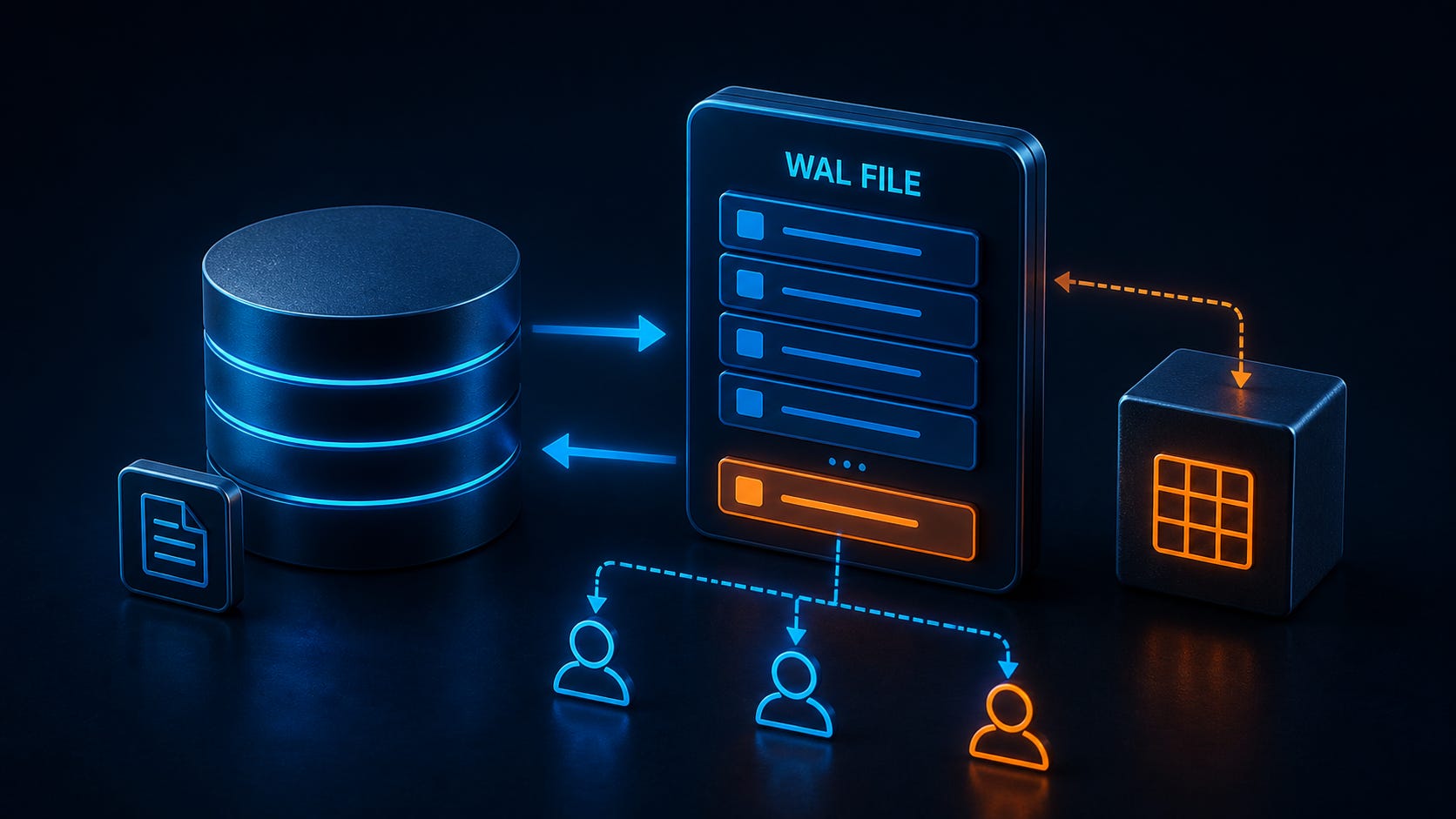
Write-Ahead Logging (WAL) is not just a performance feature, it fundamentally changes how SQLite handles writes, reads, and concurrency. Understanding WAL internals gives you better control over:
Performance tuning
Debugging locking issues
Designing scalable applications
This guide focuses on three core concepts:
WAL frames
Commit records
WAL vs Rollback Journal: Internal Difference
SQLite supports two main journaling modes:
Rollback journal (default legacy mode)
WAL (Write-Ahead Logging)
Rollback Journal (Quick Recap)
Changes are written directly to the database file
A rollback journal stores the original data
Readers and writers often block each other
WAL Mode (What Changes Internally)
Writes go to a separate WAL file
The main database file remains unchanged during writes
Readers continue using a stable snapshot
👉 This separation is what enables better concurrency.
Enabling WAL Mode
PRAGMA journal_mode = WAL;Once enabled, SQLite creates:
database.sqlite
database.sqlite-wal
database.sqlite-shm-walstores changes-shm(shared memory) coordinates readers and writers
WAL File Structure (High-Level View)
The WAL file is not just a log of SQL statements. It is a sequence of frames, each representing a modified database page.
Structure:
WAL Header
Frame 1
Frame 2
...
Commit record markers
This design allows SQLite to reconstruct the latest database state efficiently.
Understanding WAL Frames
A WAL frame is the fundamental unit of change in WAL mode.
What a Frame Contains
Each frame includes:
Database page number
Updated page content
Frame header metadata
Transaction reference
How Frames Are Written
When a transaction modifies data:
SQLite identifies affected pages
Each modified page is written as a frame into the WAL file
Example Scenario
BEGIN;

UPDATE accounts SET balance = balance - 100 WHERE id = 1;
UPDATE accounts SET balance = balance + 100 WHERE id = 2;

COMMIT;
Internally:
Each modified page becomes a frame
Multiple frames may be written per transaction
👉 Important: WAL operates at the page level, not row level.
Commit Records: Finalizing a Transaction
Frames alone are not enough. SQLite needs a way to mark a transaction as complete.
What is a Commit Record?
A commit record is a special marker in the WAL file that:
Signals the end of a transaction
Confirms all previous frames are valid
How It Works
Frames are written first
When
COMMITexecutes → a commit record is appendedOnly then do changes become visible to other connections
Why This Matters
If a crash occurs:
Frames without a commit record are ignored
Only fully committed transactions are applied
👉 This ensures atomicity and durability
How Reads Work in WAL Mode
Read operations behave differently compared to rollback journal mode.
Snapshot-Based Reading
When a read transaction starts:
SQLite assigns it a snapshot of the database state
The reader:
Reads from the main database file
Checks WAL for newer committed frames
Page Resolution Logic
For each page:
If a newer version exists in WAL → use it
Otherwise → use the database file version
👉 This allows readers to operate without blocking writes.
Concurrency Mechanics in WAL
WAL significantly improves concurrency compared to traditional journaling.
In our earlier post on <a href=”https://www.sqliteforum.com/advanced-sqlite-techniques-optimizing-queries-for-performance”>query optimization</a>, we touched on performance. WAL plays a direct role here.
Key Properties
Multiple readers can run simultaneously
A single writer operates without blocking readers
Readers do not block the writer
How SQLite Achieves This
Writes are appended to WAL (sequential I/O)
Readers rely on snapshots, not live file state
Shared memory (
-shm) coordinates visibility
Important Limitation
Only one writer at a time is allowed
However, because writes are fast and non-blocking for readers, overall throughput improves.
The Role of the WAL Index (-shm File)
The -shm file acts as a shared memory index.
What It Does
Tracks frame locations
Maps database pages to WAL frames
Helps readers quickly find the latest version
Without this:
SQLite would need to scan the entire WAL file
👉 This is critical for performance at scale.
Checkpointing: Merging WAL into Database
WAL cannot grow indefinitely.
What is Checkpointing?
Checkpointing:
Copies committed frames from WAL into the main database file
Resets or truncates the WAL file
Manual Checkpoint
PRAGMA wal_checkpoint;Automatic Checkpoint
SQLite triggers checkpoints:
Based on WAL size
Or internal thresholds
Checkpoint Modes
Passive
Full
Restart
Truncate
Each mode controls how aggressively WAL is flushed.
Performance Implications of WAL
Advantages
Sequential writes (faster disk I/O)
Reduced locking overhead
Better read/write concurrency
Trade-Offs
Additional files (
-wal,-shm)Checkpoint overhead
Slightly more complex debugging
When WAL is the Right Choice
WAL is ideal for:
Applications with frequent reads and writes
Web and mobile backends
Less Ideal For
Network file systems
Very write-heavy workloads without proper checkpoint tuning
Practical Insight: What Developers Should Watch
When working with WAL in production, monitor:
WAL file size growth
Checkpoint frequency
Long-running read transactions (can delay checkpointing)
Write contention (single writer limit)
These factors directly impact performance.
Final Thoughts
Understanding WAL internals gives you a clearer picture of how SQLite actually works under the hood.
Key takeaways:
WAL writes changes as frames, not direct file updates
Commit records define transaction boundaries
Readers operate on snapshots, enabling concurrency
The
-shmfile optimizes access through indexingCheckpointing keeps the system balanced
At this level, you’re no longer just using SQLite, you’re reasoning about its behavior, which is essential for building reliable and high-performance systems.
In the next guide, we’ll explore how to tune WAL performance and manage checkpoint strategies effectively in production environments.
Subscribe Now
Stay ahead with practical SQLite tutorials, with real-world examples. Join the SQLite Forum and be part of a growing global community of developers building smarter, faster applications.