

In Part 1 of this series, we built the foundation of a mobile sync engine using SQLite. We designed a local database, tracked changes with synchronization status, uploaded local updates to a server, downloaded remote changes, and introduced basic conflict resolution.
That approach works well for small applications.
However, imagine a production app with:
500,000 customer records
2 million inventory items
Thousands of daily updates
Would it make sense to download the entire database every time the user opens the app?
Probably not.
Downloading everything repeatedly wastes:
Network bandwidth
Battery life
Server resources
User time
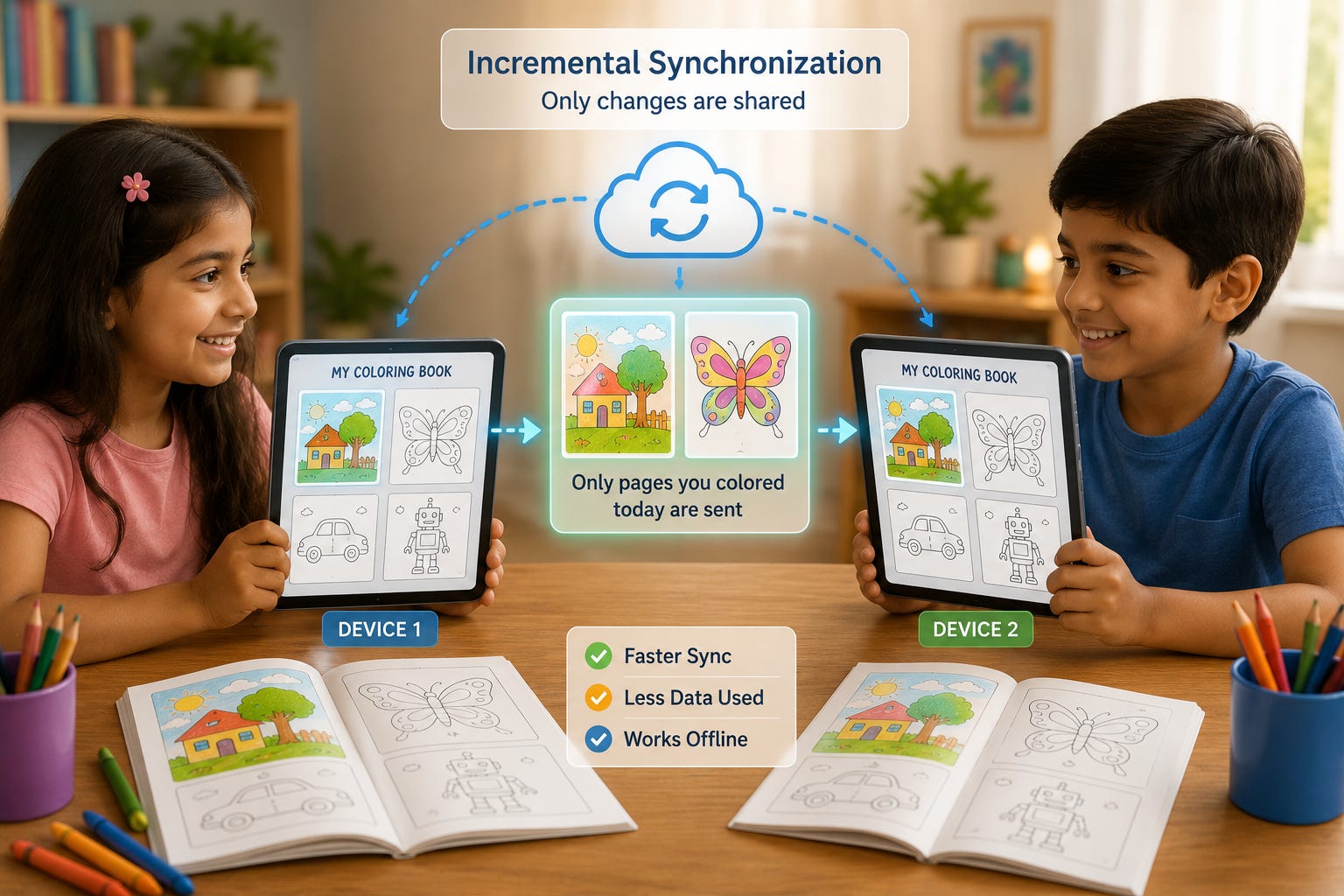
Instead, modern mobile applications synchronize only what has changed.
This technique is known as incremental synchronization or delta synchronization, and it forms the backbone of nearly every offline-first mobile application.
In this guide, we’ll extend the sync engine we built in Part 1 by implementing incremental synchronization that transfers only new, updated, or deleted records.
Why Full Synchronization Doesn’t Scale
Imagine a field service application.
The database contains:
250,000 Work OrdersA technician modifies only one record.
If the application downloads all 250,000 records again, most of that transfer is unnecessary.
Only one record actually changed.
The same problem affects uploads.
Suppose only three tasks changed locally.
Uploading the entire database again would be extremely inefficient.
As databases grow, full synchronization becomes slower and more expensive.
Instead, we want this:
Changed Records
        ↓
Transfer Only Those Records
This dramatically reduces:
Download size
Upload size
Battery usage
Synchronization time
What Is Incremental Synchronization?
Incremental synchronization means:
Transfer only the records that have changed since the last successful synchronization.
For example:
Yesterday:
Database
100,000 Records
Today:
12 Records ChangedInstead of sending:
100,000 Recordsthe sync engine sends:
12 RecordsThis approach is far more efficient.
Tracking the Last Successful Sync
The sync engine needs to know:
When was the last successful synchronization?
A simple metadata table works well.
Example:
CREATE TABLE sync_metadata (
    key TEXT PRIMARY KEY,
    value TEXT NOT NULL
);
Store:
last_sync_time = 1735000000After every successful synchronization:
UPDATE sync_metadata
SET value = '1735000000'
WHERE key = 'last_sync_time';
Now the app always knows where to resume.
Requesting Only New Changes
Suppose the last synchronization occurred at:
1735000000The application sends a request like:
GET /sync?since=1735000000The server checks its records and returns only data modified after that timestamp.
Example response:
Task A Updated
Task C Deleted
Task D Created
SQLite now updates only those records.
Everything else remains untouched.
How the Server Knows What Changed
For incremental synchronization to work, the server must also track changes.
A simple approach is storing an updated timestamp.
Example table:
CREATE TABLE tasks (
    id TEXT PRIMARY KEY,
    title TEXT,
    completed INTEGER,
    updated_at INTEGER
);
Whenever a row changes:
updated_atis updated automatically.
During synchronization, the server simply asks:
SELECT *
FROM tasks
WHERE updated_at > ?
Only newer records are returned.
Applying Delta Updates
The server may return three kinds of operations:
Insert
Update
Delete
The sync engine applies them one by one.
Insert
If the record does not exist locally:
Create New RowUpdate
If the record already exists:
Update Existing RowDelete
If the server marks a record as deleted:
Remove
or
Soft Delete
The exact strategy depends on the application’s design.
Handling Deleted Records
Deletes require special attention.
Suppose a customer deletes a task on Device A.
If the server simply removes the row completely:
Device B will never know that record existed.
Instead, many systems use soft deletes.
Example:
is_deleted = 1The record still exists but is marked as deleted.
When Device B synchronizes:
Server
      ↓
Deleted Record
      ↓
SQLite Marks Deleted
Eventually, old deleted records can be permanently removed during maintenance.
Using Version Numbers Instead of Time
Some systems avoid timestamps altogether.
Instead, every change receives a version number.
Example:
Version 101
Version 102
Version 103
The client remembers:
Last Version = 102Next synchronization requests:
Everything After Version 102Advantages include:
No clock synchronization problems
Easier ordering of changes
Predictable sequencing
Many enterprise systems prefer version-based synchronization.
Synchronizing Multiple Devices
Imagine a user owns:
Phone
Tablet
Laptop
Each device has its own SQLite database.
Workflow:
Phone
     ↓
Server
     ↓
Tablet

Laptop
     ↓
Server
Each device synchronizes independently.
The server becomes the coordination point between all devices.
What Happens If Devices Sync at Different Times?
Suppose:
Phone:
10:00 AMTablet:
4:00 PMNo problem.
Each device sends:
Last Successful SyncThe server responds with only the missing updates.
This keeps every device consistent without unnecessary downloads.
Background Synchronization
Users shouldn’t need to press a “Sync” button every few minutes.
Modern mobile apps often synchronize automatically:
When internet becomes available
When the app starts
At scheduled intervals
After important changes
Because SQLite stores everything locally, users can continue working while synchronization happens quietly in the background.
Reducing Bandwidth Usage
Incremental synchronization saves bandwidth in several ways.
Instead of downloading:
Entire Tablesthe app downloads:
Only Changed RowsInstead of uploading:
Entire Databaseit uploads:
Pending Changes OnlyBenefits include:
Faster synchronization
Lower mobile data usage
Better battery life
Reduced server load
Common Synchronization Pitfalls
Even good synchronization systems encounter problems.
Clock Differences
Different devices may have slightly different clocks.
Timestamp-based synchronization should account for this.
Duplicate Requests
Sometimes a request is retried.
The server should safely ignore duplicate operations.
Missing Updates
If the last synchronization time is stored incorrectly:
Some updates may never be downloaded.
Careful bookkeeping is essential.
Interrupted Synchronization
A network failure halfway through synchronization should never leave the database in an inconsistent state.
Transactions help solve this problem.
SQLite’s transactional behavior ensures updates are either fully applied or rolled back safely.
Best Practices
When building a production sync engine:
Synchronize in small batches
Keep operations idempotent whenever possible
Retry failed requests safely
Store reliable synchronization metadata
Use SQLite transactions when applying updates
Avoid downloading unchanged data
Test with slow and unreliable networks
These practices make synchronization faster and more resilient.
Putting It All Together
Our improved synchronization process now looks like this:
User Updates Data
         ↓
SQLite Stores Change
         ↓
Pending Records Identified
         ↓
Upload Local Changes
         ↓
Server Applies Changes
         ↓
Client Sends Last Sync Time
         ↓
Server Returns Delta Updates
         ↓
SQLite Applies Updates
         ↓
Synchronization Complete
Compared to Part 1, the amount of transferred data is dramatically smaller while producing the same result.
Conclusion
In Part 1, we built a working mobile sync engine.
In Part 2, we’ve made it significantly more efficient.
By implementing incremental synchronization, the application now transfers only the data that actually changed.
This approach reduces bandwidth, improves synchronization speed, conserves battery life, and scales much better as databases grow.
SQLite continues to serve as the reliable local storage layer, while the sync engine intelligently exchanges only the information needed to keep devices up to date.
This combination is one of the key reasons SQLite is so widely used in offline-first mobile applications.
Coming Ahead: Part 3
Our sync engine can now efficiently exchange changes between devices and the server.
However, one important challenge remains:
What happens when two devices modify the same record differently at nearly the same time?
In Part 3, we’ll build advanced conflict resolution into our sync engine.
We’ll explore:
Optimistic concurrency control
Version-based conflict detection
Conflict resolution strategies
Merge operations
Last Write Wins vs. Manual Resolution
Multi-device consistency
Building a production-ready synchronization workflow
By the end of Part 3, we’ll have transformed our simple mobile sync engine into a far more robust system capable of supporting real-world offline-first applications.
Subscribe Now
Stay ahead with practical SQLite tutorials, with real-world examples. Join the SQLite Forum and be part of a growing global community of developers building smarter, faster applications.
I have experienced the concepts of Incremental Syncs, and the possible issues, back when I was a Sales Ops Manager, being the Admin of the SFA system, teaching the Sales Employees about the App we were using, creating manuals, resolving issues and providing Helpdesk services.
We were using time stamp syncs, not Version names, and it was really confusing sometimes.
Time stamps were difficult to read (even their names), they were named like Long Strings of Unique Alpharethmetic codes, and one had to guess which part is the Date, and which part is the counter, which part was the user system code, and so on.