

In our previous guide on SQLite WAL internals, we explored how SQLite stores changes inside the WAL file using frames and commit records.
But WAL mode introduces a new challenge:
What happens when the WAL file keeps growing?
That’s where checkpointing becomes critical.
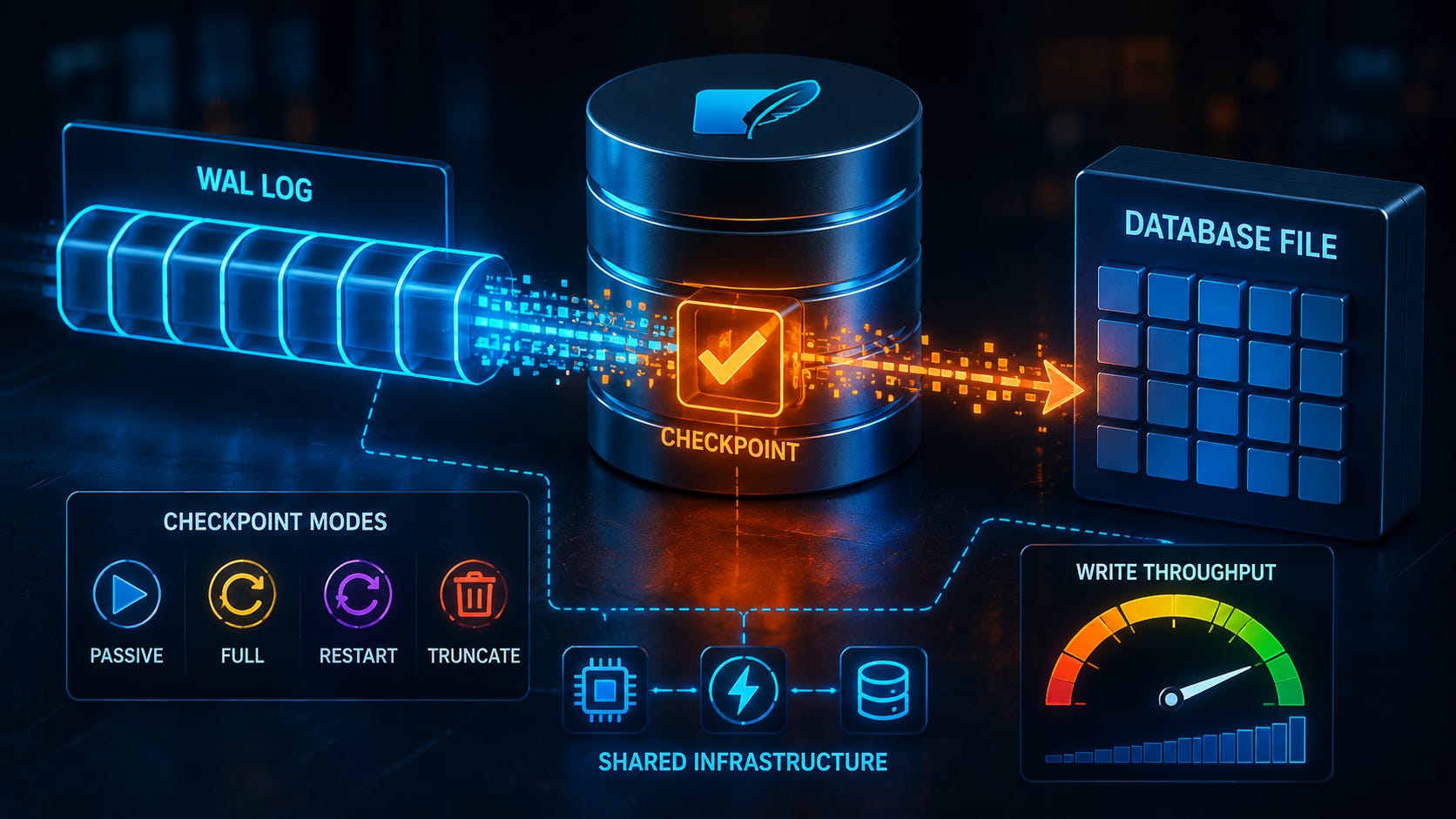
Checkpointing is one of the most important mechanisms in SQLite WAL mode because it directly affects:
Write throughput
Read performance
Disk usage
Database responsiveness
Poor checkpoint configuration can lead to:
Large WAL files
Slower writes
Increased I/O pressure
Unexpected latency spikes
In this guide, we’ll break down:
How checkpointing works internally
The different checkpoint algorithms
How checkpoints impact performance
Practical WAL tuning strategies for production systems
What is a WAL Checkpoint?
In WAL mode:
Writes are appended to the
-walfileThe main database file remains unchanged initially
Eventually, SQLite needs to merge WAL changes back into the main database.
This process is called a checkpoint.
What Happens During a Checkpoint
SQLite:
Reads committed frames from the WAL file
Copies those pages into the main database file
Updates the database state
Optionally truncates or resets the WAL
Without checkpointing:
WAL files would grow indefinitely
Checkpointing vs Committing
This is a common point of confusion.
Commit
A commit:
Marks a transaction as complete inside the WAL file
Makes changes visible to readers
Checkpoint
A checkpoint:
Moves committed changes from WAL into the database file
👉 Commits affect transaction visibility.
👉 Checkpoints affect storage consolidation.
How SQLite Decides When to Checkpoint
SQLite supports:
Automatic checkpoints
Manual checkpoints
Automatic Checkpointing
By default:
PRAGMA wal_autocheckpoint = 1000;This means:
SQLite triggers a checkpoint after roughly 1000 WAL pages accumulate
The actual size depends on:
Database page size
Workload patterns
Checkpoint Algorithms in SQLite
SQLite provides four primary checkpoint modes:
PASSIVE
FULL
RESTART
TRUNCATE
Each behaves differently internally.
PASSIVE Checkpoint
PRAGMA wal_checkpoint(PASSIVE);Behavior
Copies as many WAL frames as possible
Does not block readers
Stops if active readers prevent progress
Advantages
Minimal disruption
Good for busy systems
Disadvantages
WAL may not fully shrink
Incomplete checkpoints are common under heavy read load
Best Use Case
Applications prioritizing responsiveness over aggressive cleanup.
FULL Checkpoint
PRAGMA wal_checkpoint(FULL);Behavior
Waits for readers if necessary
Ensures all possible frames are checkpointed
Advantages
More complete WAL consolidation
Better WAL size control
Disadvantages
Can temporarily delay operations
Increased latency during checkpoint execution
Best Use Case
Moderate workloads requiring balanced WAL maintenance.
RESTART Checkpoint
PRAGMA wal_checkpoint(RESTART);Behavior
Performs a FULL checkpoint
Resets WAL so new writes begin from the start
Important Detail
The WAL file itself may remain allocated on disk.
Advantages
Efficient WAL reuse
Reduces file fragmentation
Best Use Case
Long-running applications with steady write activity.
TRUNCATE Checkpoint
PRAGMA wal_checkpoint(TRUNCATE);Behavior
Fully checkpoints WAL contents
Truncates WAL file to zero bytes
Advantages
Maximum WAL cleanup
Frees disk space immediately
Disadvantages
More expensive operation
Can increase I/O overhead
Best Use Case
Maintenance windows or low-traffic periods.
How Checkpoints Impact Write Throughput
Checkpointing directly affects WAL performance.
The Core Trade-Off
WAL mode improves write speed because:
Writes are sequential appends
Checkpointing changes this because:
Data must eventually be written back into the main database file
That introduces:
Random I/O
Synchronization overhead
Additional disk pressure
Small Checkpoints vs Large Checkpoints
Frequent Small Checkpoints
Advantages:
Smaller WAL files
Lower recovery overhead
Disadvantages:
More frequent disk activity
Potentially reduced write throughput
Large Infrequent Checkpoints
Advantages:
Higher write throughput during normal operation
Reduced checkpoint frequency
Disadvantages:
Large WAL files
Longer checkpoint pauses
Bigger recovery time after crashes
The Problem with Long-Running Readers
One of the biggest WAL tuning issues involves long-running read transactions.
Why This Matters
Readers use snapshots.
If a reader is still using old WAL frames:
SQLite cannot safely remove those frames
Result:
WAL file keeps growing
This can lead to:
Huge WAL files
Slower checkpoints
Increased storage usage
Write Amplification During Checkpointing
Checkpointing can create write amplification.
What Happens
Data may be written:
Into the WAL file
Back into the database file
That means:
The same logical update generates multiple physical writes
This becomes especially noticeable on:
HDDs
Cloud storage
High-write workloads
Tuning WAL Performance
Now let’s focus on practical optimization strategies.
1. Adjust Auto-Checkpoint Size
Default:
PRAGMA wal_autocheckpoint = 1000;Higher values:
Improve write throughput
Increase WAL growth
Lower values:
Reduce WAL size
Increase checkpoint frequency
Common Production Range
Many systems tune between:
2000–10000 pages
The ideal value depends on:
Disk speed
Write intensity
Read concurrency
2. Use Manual Checkpoint Scheduling
Instead of relying entirely on auto-checkpointing:
Applications can:
Run checkpoints during low activity periods
Trigger checkpoints after batch jobs
This provides:
More predictable latency
Better performance control
3. Monitor WAL File Size
Large WAL files usually indicate:
Delayed checkpoints
Long-running readers
Heavy write bursts
Monitoring WAL growth helps identify bottlenecks early.
4. Avoid Excessively Long Read Transactions
This is critical.
Long-lived readers:
Prevent WAL cleanup
Increase checkpoint pressure
Reduce storage efficiency
Applications should:
Keep read transactions short whenever possible
5. Choose Storage Carefully
WAL performance depends heavily on storage characteristics.
SSD Advantages
Faster sequential writes
Lower checkpoint latency
Better concurrent I/O
HDD Challenges
Slower random writes
More checkpoint overhead
Practical Example
High-Write Logging System
Imagine:
Thousands of inserts per minute
Continuous read queries
A poor checkpoint configuration might:
Trigger checkpoints too frequently
Reduce write throughput dramatically
Better tuning:
PRAGMA wal_autocheckpoint = 5000;Combined with:
Scheduled FULL checkpoints during low traffic
This often improves overall stability.
How to Observe Checkpoint Behavior
SQLite provides checkpoint statistics:
PRAGMA wal_checkpoint;You can inspect:
Frames checkpointed
Remaining WAL frames
Busy reader conditions
This helps diagnose:
WAL growth issues
Checkpoint inefficiency
When Aggressive Checkpointing Helps
Aggressive checkpointing can be useful when:
Disk space is limited
Crash recovery speed matters
WAL growth must stay predictable
But excessive checkpointing can:
Hurt write performance
Increase I/O contention
Balance is important.
Conclusion
Checkpointing is the balancing mechanism that makes WAL mode sustainable.
Key takeaways:
WAL improves write concurrency through append-only logging
Checkpoints merge WAL contents back into the database
Different checkpoint algorithms trade off performance and cleanup behavior
Checkpoint frequency directly impacts write throughput
Long-running readers can severely affect WAL growth
Effective WAL tuning is not about maximizing one metric. It’s about balancing:
Throughput
Latency
Recovery speed
Disk usage
Understanding checkpoint behavior gives you far more control over SQLite performance in real-world systems.
In the next guide, we’ll explore advanced SQLite locking behavior and how lock states affect concurrent transactions internally.
Subscribe Now
Stay ahead with practical SQLite tutorials, with real-world examples. Join the SQLite Forum and be part of a growing global community of developers building smarter, faster applications.