
Feature Flag Systems Using SQLite
Fast Feature Evaluation and Staged Rollout Logic

Modern applications need safer ways to release new functionality, and SQLite can provide a surprisingly powerful foundation for controlling exactly when and how those features reach users.
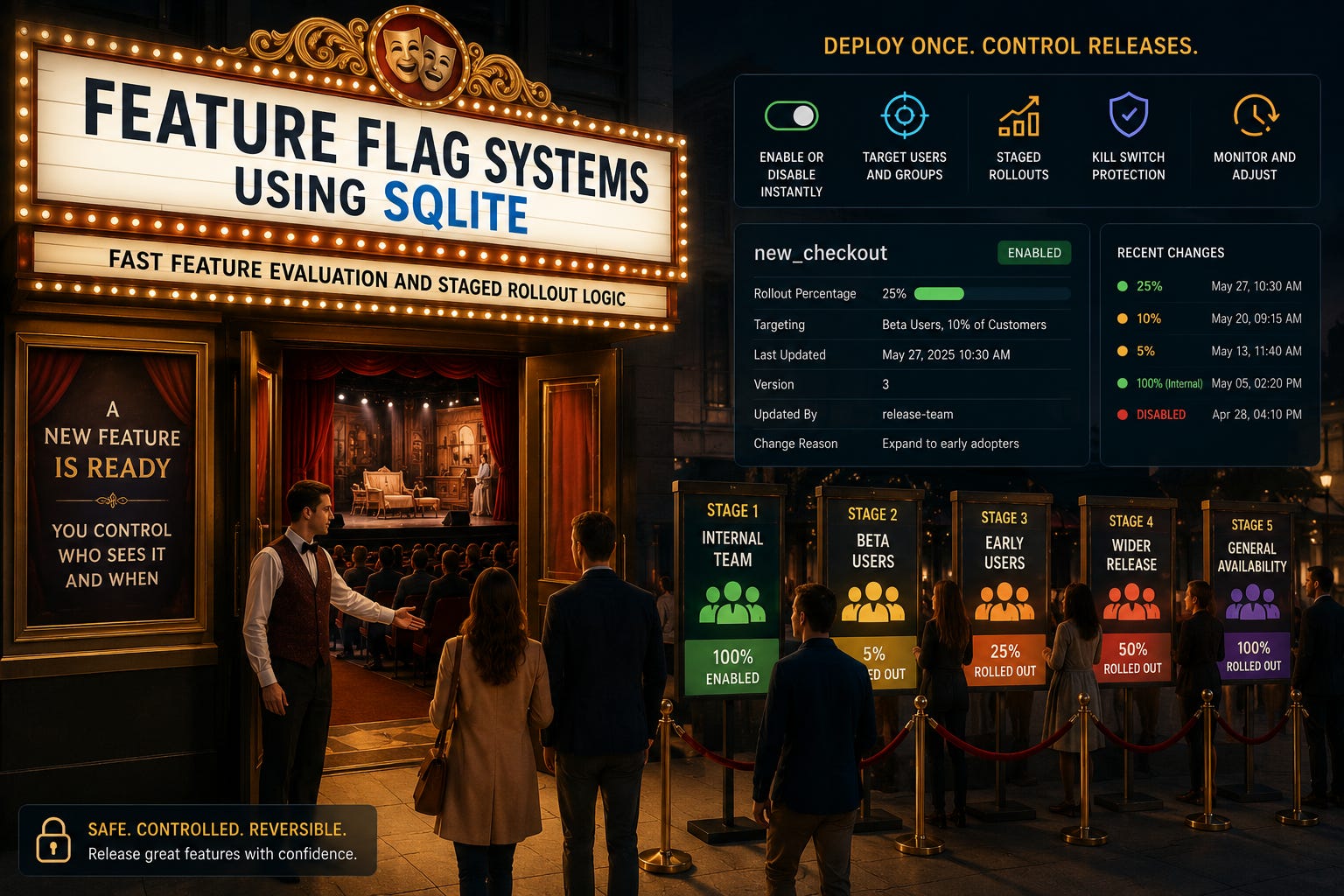
Imagine you’ve finished building a major new feature for your application.
The code is ready. Testing looks good. Deployment succeeds.
But there is one problem.
You don’t want every user to receive the feature immediately.
Perhaps you want to enable it for your development team first, then 5% of customers, followed by 25%, 50%, and eventually everyone.
Or perhaps you discover a problem after deployment and need to disable the feature immediately without releasing another version of the application.
This is where feature flags become extremely useful.
A feature flag separates deploying code from activating functionality.
Instead of writing:
show_new_checkout()we can ask:
if feature_enabled("new_checkout", user_id):
    show_new_checkout()
else:
    show_existing_checkout()
The new code may already exist inside the application, but configuration determines who can use it.
For many applications, SQLite provides everything required to build a fast, lightweight feature flag system.
In this guide, we’ll build one from the ground up, including feature definitions, fast evaluation, user targeting, percentage rollouts, overrides, caching, auditing, and safe rollback.
What Is a Feature Flag?
At its simplest, a feature flag is an on/off switch for application functionality.
Consider a new checkout experience.
Without a feature flag:
Deploy New Checkout
        ↓
Everyone Gets It
With a feature flag:
Deploy New Checkout
        ↓
Feature Flag
     ↙     ↘
 Enabled   Disabled
    ↓         ↓
New UI     Existing UI
The code can be deployed while the feature remains disabled.
Operations can then decide when and how the feature becomes available.
This gives development teams much greater control over releases.
Why Not Just Use a Configuration Setting?
In our previous article, we built a versioned configuration store using SQLite.
A feature flag might initially look like another configuration value:
new_checkout = trueAnd for very simple applications, that may be enough.
Feature flag systems become more interesting when the answer is no longer simply true or false.
For example:
Employees        → Enabled
Beta Users       → Enabled
10% of Customers → Enabled
Everyone Else    → Disabled
Now we’re evaluating rules.
A proper feature flag system needs to answer:
Is this feature enabled for this particular user, device, or request?
And it needs to answer quickly.
Building Our Feature Flag System
Let’s continue using an e-commerce application as our example.
The development team is working on several features:
new_checkout
recommendation_engine
express_shipping
dark_mode
advanced_search
We’ll start with a simple table.
CREATE TABLE FeatureFlags (
    FlagKey TEXT PRIMARY KEY,
    Description TEXT,
    Enabled INTEGER NOT NULL DEFAULT 0,
    RolloutPercentage INTEGER NOT NULL DEFAULT 0,
    Version INTEGER NOT NULL DEFAULT 1,
    UpdatedAt TEXT NOT NULL DEFAULT CURRENT_TIMESTAMP
);
SQLite doesn’t require a dedicated Boolean storage class, so we’ll use:
0 = Disabled
1 = Enabled
Let’s add our first feature.
INSERT INTO FeatureFlags
(
    FlagKey,
    Description,
    Enabled,
    RolloutPercentage
)
VALUES
(
    'new_checkout',
    'Redesigned checkout experience',
    1,
    10
);
The feature is active, but only 10% of eligible users should receive it.
The Simplest Evaluation
Before introducing rollout rules, let’s handle a global feature flag.
SELECT Enabled
FROM FeatureFlags
WHERE FlagKey = 'dark_mode';
The application can then evaluate:
def feature_enabled(flag_key):
    row = database.execute(
        """
        SELECT Enabled
        FROM FeatureFlags
        WHERE FlagKey = ?
        """,
        (flag_key,)
    ).fetchone()

    return row is not None and row[0] == 1
This gives us a central switch.
If Enabled becomes 0, the feature disappears immediately the next time the flag is evaluated.
No application rebuild is required.
Introducing Percentage Rollouts
Suppose the new checkout has passed internal testing.
Instead of releasing it to everyone, we begin with:
5%Then:
5%
 ↓
10%
 ↓
25%
 ↓
50%
 ↓
100%
This is called a staged rollout.
If something goes wrong at 10%, we stop.
If everything looks healthy, we continue.
The important question is:
How do we consistently choose which users belong to the 10%?
Why Random Selection Is Not Enough
We could generate a random number every time someone opens the application.
But that creates an unpleasant experience.
A user might see the new checkout today:
New Checkoutand the old checkout tomorrow:
Old CheckoutThen the new checkout again five minutes later.
Feature evaluation should be deterministic.
The same user should consistently receive the same result while the rollout rules remain unchanged.
Deterministic User Bucketing
A common approach is to combine the feature key and user identifier:
new_checkout:user_48291Then calculate a stable hash.
That hash is mapped into a bucket such as:
0–99Suppose:
user_48291 → bucket 7If rollout is:
10%buckets 0–9 receive the feature.
User 48291 is therefore included.
Another user might produce:
user_71820 → bucket 64That user remains on the existing checkout.
The key advantage is consistency.
The same user and feature always produce the same bucket.
Why Include the Feature Key?
We shouldn’t bucket users only by their user ID.
If we did, the same 10% of users might receive every experimental feature.
By hashing:
FeatureKey + UserIDeach feature produces a different distribution.
A customer who receives the new checkout may not necessarily receive advanced search.
This gives us much healthier staged rollouts.
Building the Evaluation Flow
Our feature evaluator now follows:
Feature Requested
       ↓
Does Flag Exist?
       ↓
Is Flag Globally Enabled?
       ↓
Check Explicit Overrides
       ↓
Check Targeting Rules
       ↓
Calculate Rollout Bucket
       ↓
Return Enabled or Disabled
The order matters.
Some rules should take priority over others.
User Overrides
Sometimes we want to explicitly enable or disable a feature for one user.
For example, a support engineer may need to reproduce a customer’s issue using the new checkout.
Let’s create an override table.
CREATE TABLE FeatureOverrides (
    FlagKey TEXT NOT NULL,
    UserID TEXT NOT NULL,
    Enabled INTEGER NOT NULL,
    CreatedAt TEXT NOT NULL DEFAULT CURRENT_TIMESTAMP,
    PRIMARY KEY (FlagKey, UserID),
    FOREIGN KEY (FlagKey)
        REFERENCES FeatureFlags(FlagKey)
);
Now we can explicitly enable a user:
INSERT INTO FeatureOverrides
(
    FlagKey,
    UserID,
    Enabled
)
VALUES
(
    'new_checkout',
    'user_48291',
    1
);
Or explicitly disable someone:
Enabled = 0Overrides take priority over percentage rollout rules.
Targeting Groups
Feature flags can also target groups rather than individual users.
Imagine we want employees to receive a feature before customers.
We could create:
CREATE TABLE FeatureGroups (
    FlagKey TEXT NOT NULL,
    GroupName TEXT NOT NULL,
    Enabled INTEGER NOT NULL,
    PRIMARY KEY (FlagKey, GroupName)
);
Then:
INSERT INTO FeatureGroups
(
    FlagKey,
    GroupName,
    Enabled
)
VALUES
(
    'advanced_search',
    'employees',
    1
);
Our evaluation logic can now ask:
Is User an Employee?
        ↓
Yes
        ↓
Enable Feature
Possible groups include:
Employees
Beta testers
Premium customers
Administrators
Test accounts
Selected regions
This allows controlled releases before exposing functionality more widely.
A Real Staged Rollout
Let’s imagine we’re launching the new checkout.
Stage 1: Development
Employees OnlyInternal staff test the feature in normal usage.
Stage 2: Beta
Employees
+
Beta Users
A small group of external customers begins using it.
Stage 3: Limited Production
10% of CustomersNow we observe real production behaviour.
Stage 4: Expansion
25%
 ↓
50%
 ↓
75%
Metrics remain healthy, so exposure increases.
Stage 5: Full Release
100%The new checkout becomes the normal experience.
The application code didn’t change during any of these stages.
Only the rollout configuration changed.
The Emergency Kill Switch
One of the most valuable uses of feature flags is the kill switch.
Suppose the new recommendation engine begins producing errors.
Without feature flags:
Problem Detected
      ↓
Find Cause
      ↓
Modify Code
      ↓
Test
      ↓
Build
      ↓
Deploy
With a feature flag:
Problem Detected
      ↓
Disable Flag
For example:
UPDATE FeatureFlags
SET
    Enabled = 0,
    Version = Version + 1,
    UpdatedAt = CURRENT_TIMESTAMP
WHERE FlagKey = 'recommendation_engine';
The problematic feature can be disabled while developers investigate.
That ability alone can make feature flags extremely valuable in production systems.
Versioning Feature Flags
Feature flag configuration changes over time.
Suppose:
Version 1 → Employees only
Version 2 → 5%
Version 3 → 10%
Version 4 → 25%
Version 5 → Disabled
When something goes wrong, we need to know what changed.
Let’s add history.
CREATE TABLE FeatureFlagHistory (
    HistoryID INTEGER PRIMARY KEY,
    FlagKey TEXT NOT NULL,
    Enabled INTEGER NOT NULL,
    RolloutPercentage INTEGER NOT NULL,
    Version INTEGER NOT NULL,
    ChangedBy TEXT,
    ChangeReason TEXT,
    ChangedAt TEXT NOT NULL DEFAULT CURRENT_TIMESTAMP
);
Now every rollout adjustment can be recorded.
Safe Updates with Transactions
Changing the rollout and recording history should happen together.
BEGIN TRANSACTION;

INSERT INTO FeatureFlagHistory
(
    FlagKey,
    Enabled,
    RolloutPercentage,
    Version,
    ChangedBy,
    ChangeReason
)
SELECT
    FlagKey,
    Enabled,
    RolloutPercentage,
    Version,
    'release-team',
    'Expand checkout rollout'
FROM FeatureFlags
WHERE FlagKey = 'new_checkout';

UPDATE FeatureFlags
SET
    RolloutPercentage = 25,
    Version = Version + 1,
    UpdatedAt = CURRENT_TIMESTAMP
WHERE FlagKey = 'new_checkout';

COMMIT;
If anything fails, SQLite rolls back the transaction.
We don’t end up with a rollout change that is missing from our audit history.
Fast Feature Evaluation
Feature flags may be checked constantly.
Imagine an application evaluating flags during:
Page rendering
API requests
Login
Checkout
Search
Notifications
Running several SQLite queries for every request is unnecessary.
Instead, load active feature flags into memory.
SQLite
   ↓
Feature Flag Cache
   ↓
Application Requests
The normal evaluation path becomes:
Request
   ↓
Memory Cache
   ↓
Evaluate Rules
   ↓
Result
SQLite remains the durable source of truth, while memory provides extremely fast evaluation.
Detecting Flag Changes
We can use the same principle as our configuration store.
Maintain a global feature flag version.
CREATE TABLE FeatureFlagMetadata (
    MetadataKey TEXT PRIMARY KEY,
    MetadataValue INTEGER NOT NULL
);
For example:
feature_flag_version = 92After a change:
92 → 93Application instances periodically check this value.
If it changes:
Version Changed
      ↓
Reload Flags
      ↓
Refresh Cache
This is far more efficient than repeatedly reloading every rule.
Indexing for Fast Lookups
Our primary key already makes lookups by FlagKey efficient.
Overrides need fast access by flag and user:
CREATE INDEX idx_feature_overrides_user
ON FeatureOverrides(UserID, FlagKey);
History queries may benefit from:
CREATE INDEX idx_flag_history_key_version
ON FeatureFlagHistory(FlagKey, Version DESC);
As always, indexes should reflect actual query patterns.
Feature evaluation needs to remain fast, so unnecessary indexes should be avoided.
Monitoring a Rollout
Feature flags become much more useful when combined with metrics.
Suppose we’re rolling out the new checkout.
We might monitor:
Checkout Completion Rate

Payment Failure Rate

Average Checkout Time

Application Errors

Cart Abandonment
Then compare:
Feature Enabled
      vs.
Feature Disabled
Imagine the new checkout produces:
Conversion Rate
+8%

Average Checkout Time
-12%

Payment Errors
No Change
That’s encouraging.
We can safely expand the rollout.
But if payment errors suddenly increase, we can stop or reverse the rollout immediately.
Feature Flags Are Not Permanent
One common mistake is leaving feature flags inside an application forever.
Imagine years of code like:
if feature_enabled("checkout_v2"):
    ...
else:
    ...
Eventually nobody remembers whether checkout_v2 is still needed.
Old flags create:
Dead code
Confusing logic
Additional testing combinations
Operational complexity
Once a rollout reaches 100% and is proven stable, remove the old implementation and retire the flag.
Feature flags should usually have a lifecycle:
Created
   ↓
Testing
   ↓
Staged Rollout
   ↓
100% Enabled
   ↓
Old Code Removed
   ↓
Flag Retired
A feature flag system should help releases move forward, not become permanent application clutter.
Handling Flag Dependencies
Sometimes one feature depends on another.
For example:
one_click_checkout
        ↓
Requires
        ↓
new_checkout
If new_checkout is disabled, enabling one_click_checkout may make no sense.
Dependencies should be explicit and validated before rollout.
For small systems, application-level validation is often sufficient.
As the system grows, dependencies can be stored and evaluated as part of the flag rules.
The goal is to prevent impossible feature combinations from reaching users.
Protecting Feature Flag Changes
A feature flag can dramatically alter application behaviour.
Changing one should therefore be treated as a production operation.
Important flags may require:
Authentication
Authorization
Audit history
Change reasons
Approval workflows
Rollback capability
A developer testing a feature should not automatically have permission to enable it for every production customer.
SQLite can store the flag state and audit history, while the surrounding application controls who is allowed to modify it.
Putting Everything Together
Our SQLite feature flag system now looks like this:
Release Team
      ↓
Feature Flag Update
      ↓
Validation
      ↓
SQLite Transaction
      ↓
Feature Flags
      +
History
      +
Overrides
      +
Targeting Rules
      ↓
Version Changes
      ↓
Application Cache Refresh
      ↓
Feature Evaluation
      ↓
User / Group / Percentage Rules
      ↓
Enabled or Disabled
SQLite provides the durable control plane.
The in-memory evaluator provides speed.
Together they give us a lightweight feature delivery system without requiring separate infrastructure.
A Practical Example
Let’s return to our new checkout.
Initially:
new_checkout

Enabled: Yes
Rollout: 5%
The system hashes each user’s identifier together with the feature key and assigns a stable rollout bucket.
Only users in the first 5% receive the feature.
Monitoring looks healthy.
Operations changes:
5% → 25%SQLite records the previous version, updates the rollout percentage, increments the version, and records who made the change.
Application caches refresh.
Now 25% of users consistently receive the new checkout.
Later, payment failures suddenly increase.
Operations changes:
Enabled: NoThe feature is immediately removed from normal evaluation while the development team investigates.
No emergency application deployment is required.
Once the issue is fixed, the rollout can resume gradually.
That’s the real power of feature flags.
They transform a software release from a single irreversible event into a controlled process.
Best Practices
When building a feature flag system with SQLite:
Use stable, descriptive flag keys.
Separate deployment from feature activation.
Make percentage rollouts deterministic.
Include the feature key when bucketing users.
Support explicit user overrides.
Use groups for controlled testing.
Keep an emergency kill switch.
Version important flag changes.
Record who changed each flag and why.
Use transactions for safe updates.
Cache flags for fast evaluation.
Monitor metrics during staged rollouts.
Protect production flag changes with authorization.
Remove obsolete flags after successful rollout.
These practices keep feature delivery predictable as an application grows.
When SQLite Is a Good Fit
SQLite is particularly attractive for feature flag systems in:
Desktop applications
Embedded software
Edge systems
IoT gateways
Local services
Single-node applications
Offline-first systems
Small and medium backend applications
It provides durable storage, transactions, indexes, history, and simple deployment without introducing another external service.
For globally distributed platforms requiring near-instant flag propagation across thousands of application servers and millions of concurrent users, a dedicated distributed feature management platform may eventually be more appropriate.
But many applications don’t need that complexity.
SQLite can provide a remarkably capable feature flag foundation.
Closing Thoughts
Feature flags change how we think about releasing software.
Instead of treating deployment as the moment a feature becomes available to everyone, we can deploy safely and decide separately when, where, and for whom that functionality becomes active.
SQLite gives us the building blocks to implement this approach with surprisingly little infrastructure.
By combining persistent flag definitions, deterministic rollout logic, targeting rules, user overrides, version history, transactions, caching, monitoring, and emergency kill switches, we can create a feature delivery system that remains both fast and controllable.
A new feature can begin with a handful of internal testers, expand gradually to real customers, and eventually reach everyone.
And if something goes wrong along the way, we can stop.
That ability to release gradually, observe carefully, and reverse quickly is what makes feature flags so valuable in production systems.
SQLite isn’t merely storing whether a feature is on or off.
It’s helping us control how software reaches users.
Subscribe Now
Release Smarter with SQLite
Feature flags are just one example of how SQLite can become part of the infrastructure behind a modern application.
Subscribe to SQLite Forum for practical tutorials, real-world projects, and deeper explorations of SQLite beyond traditional database storage. We’ll continue building production-style systems while exploring performance, architecture, reliability, and the SQLite features that make them possible.
Subscribe and keep discovering what you can build with SQLite.